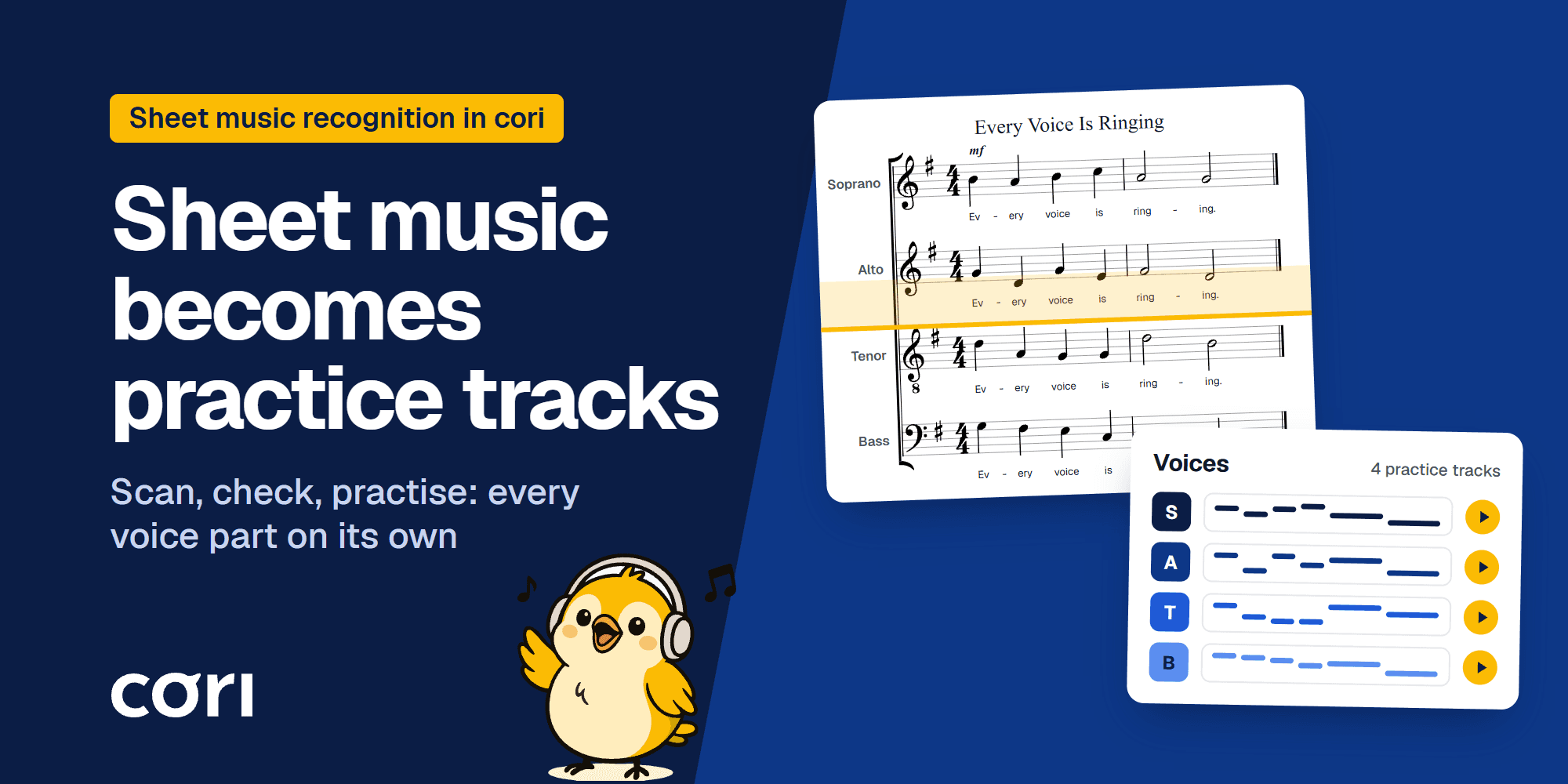
Scan sheet music and play it: a practice track for every choir part
November 4, 2026
•

Jonas Deuchler
Founder, coriBefore a choir rehearses a new piece, every voice part needs to know its notes. Making the practice tracks for that takes time: the director records soprano, alto, tenor and bass one by one, easily 10 to 20 minutes per part and piece (Practice recordings in the choir). Or they type the score into a notation program note by note, or buy practice tracks, if any exist for the piece. So often it stays a sheet music PDF in the group chat. That helps everyone who sight-reads. It doesn't help the others.
And that is a lot of singers. In Germany alone, about 1.37 million people sing in choirs that belong to an association or a church (miz, as of 2023), and far from all of them read music. In a survey of 3,142 choir singers in German-speaking countries, a good one in five found reading music hard or could not read it at all. Among those who joined a choir at 40 or later, more than half found it hard to sing from the score (Kreutz & Brünger, 2012).
The short answer: In cori you photograph the music with your phone or upload a PDF and choose “Generate recordings from the sheet music”. cori reads every voice part with its lyrics and dynamics and creates a practice track for each one. A few minutes later the director listens to the result, checks the flagged bars and publishes the song to the choir.
Key points:
- Scan the music with your phone's camera or upload it as a PDF, in the app and in the browser.
- cori reads voice parts, notes, lyrics, dynamics and part names. A piano or organ part becomes the backing track.
- cori plays every part on an instrument; the default is a sung “ah”. Nobody has to record anything first.
- Until it is published, only directors and admins see the song. cori flags the bars where the recognition was unsure.
- On 947 songs we did not use during development, 99% of the notes and 99% of the syllables were read correctly from clean PDFs. Pencil and highlighter cost only a few percentage points, faded copies cost more.
- You can download the recognised notes as a MusicXML file for notation programs such as MuseScore.
What is sheet music recognition?
Sheet music recognition, known in research as optical music recognition (OMR), does for music what text recognition does for letters. In their survey for ACM Computing Surveys, Calvo-Zaragoza, Hajič and Pacha describe it as the field of research that investigates how to computationally read music notation in documents (Calvo-Zaragoza et al., 2020). It is harder than text because notes get their meaning from where they sit: the pitch depends on the line, clef and accidentals, the length on the note's shape, and what sounds together is stacked across several staves. The authors compare it to recovering a website's HTML source from a screenshot. Choral music adds the lyrics, syllable by syllable under the notes.
The result is a file a computer can play. The usual format is MusicXML, an open format for exchanging sheet music that the Music Notation Community Group maintains at the W3C (MusicXML 4.0). According to musicxml.com, more than 260 programs support it.
cori reads the notes with a neural network, a so-called transformer model, and adds steps of its own: crooked or curved pages are straightened first, the pages are joined into one score, typical reading errors such as a misread time signature are repaired, and text recognition reads the lyrics and assigns every syllable to its note.
How a sheet of music becomes a practice track
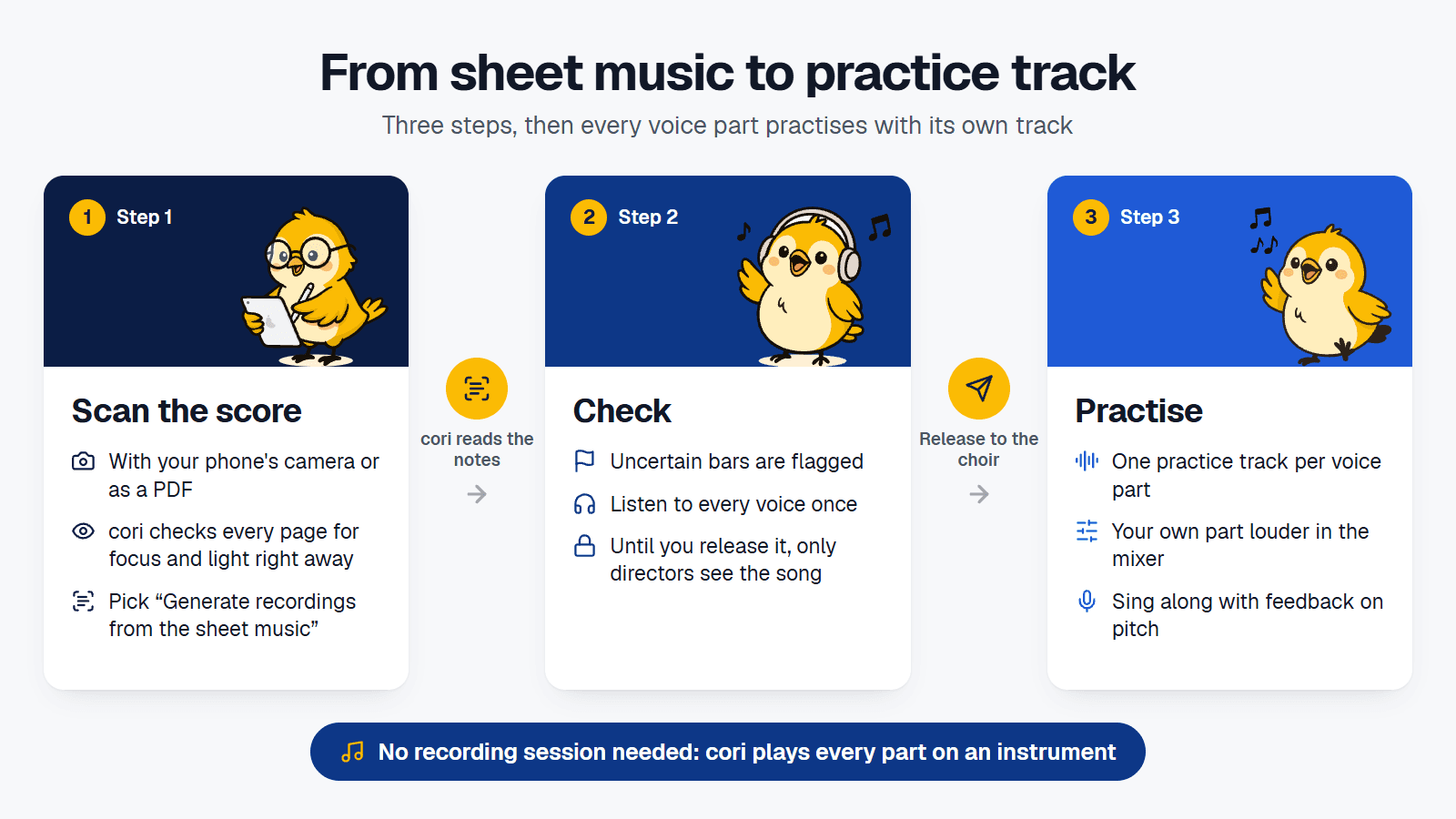
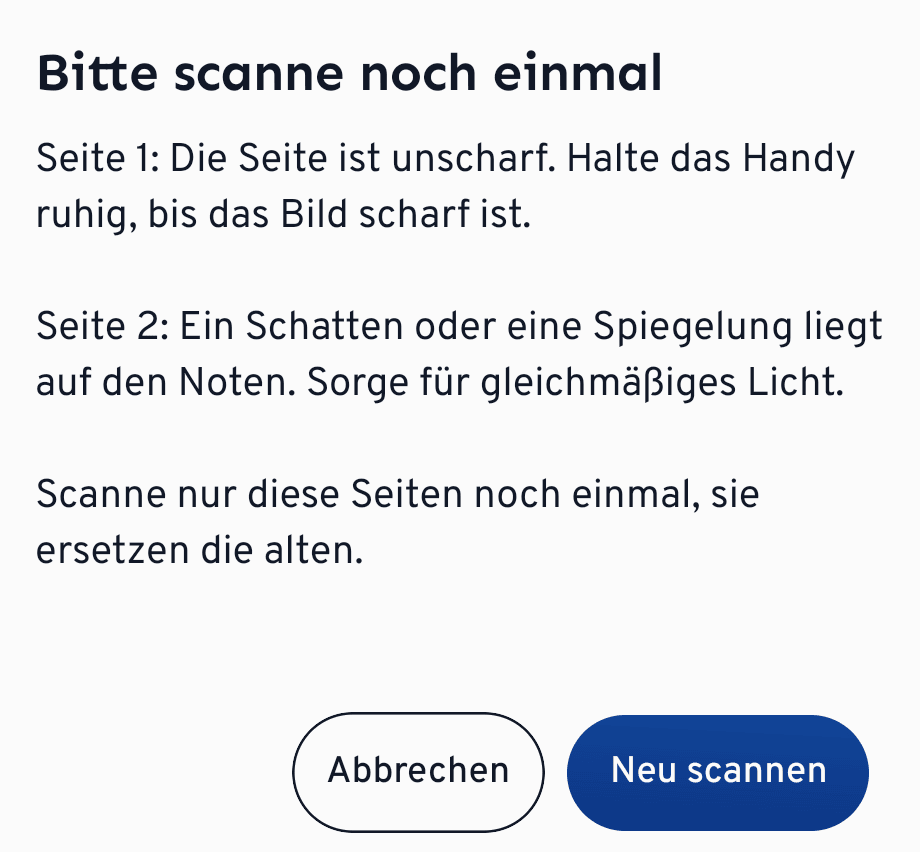
- Scan the music or choose a PDFCreate a new song. In the app, tap “Scan” under the sheet music and photograph the pages one after another, or pick a file with “Choose PDF”. In the browser you upload the PDF. The app checks scanned pages right away: if a page is blurry, the music is too small or a shadow covers it, the app says so, and you rescan only that page.
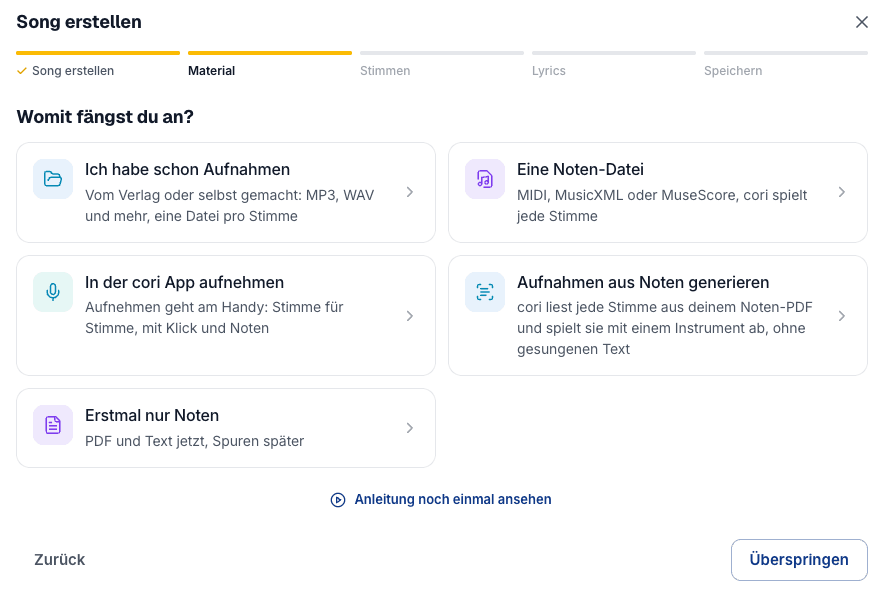
- Choose “Generate recordings from the sheet music”In the next step cori asks “Where are you starting from?”. Choose “Generate recordings from the sheet music” and save the song. You don't have to type the lyrics; cori reads them too.
- cori reads the notesThe recognition runs on our servers and usually takes a few minutes. In our measurements a two-page score was read in about a minute and a half. You don't have to wait: once the notes are read, you get a notification.
- Check and publishThe notification or the “Check notes” badge in the song list opens “Check the recognised notes”. There you see the recognised score, the bars to check and every voice with “Play”. If everything is right, tap “Publish to choir”.
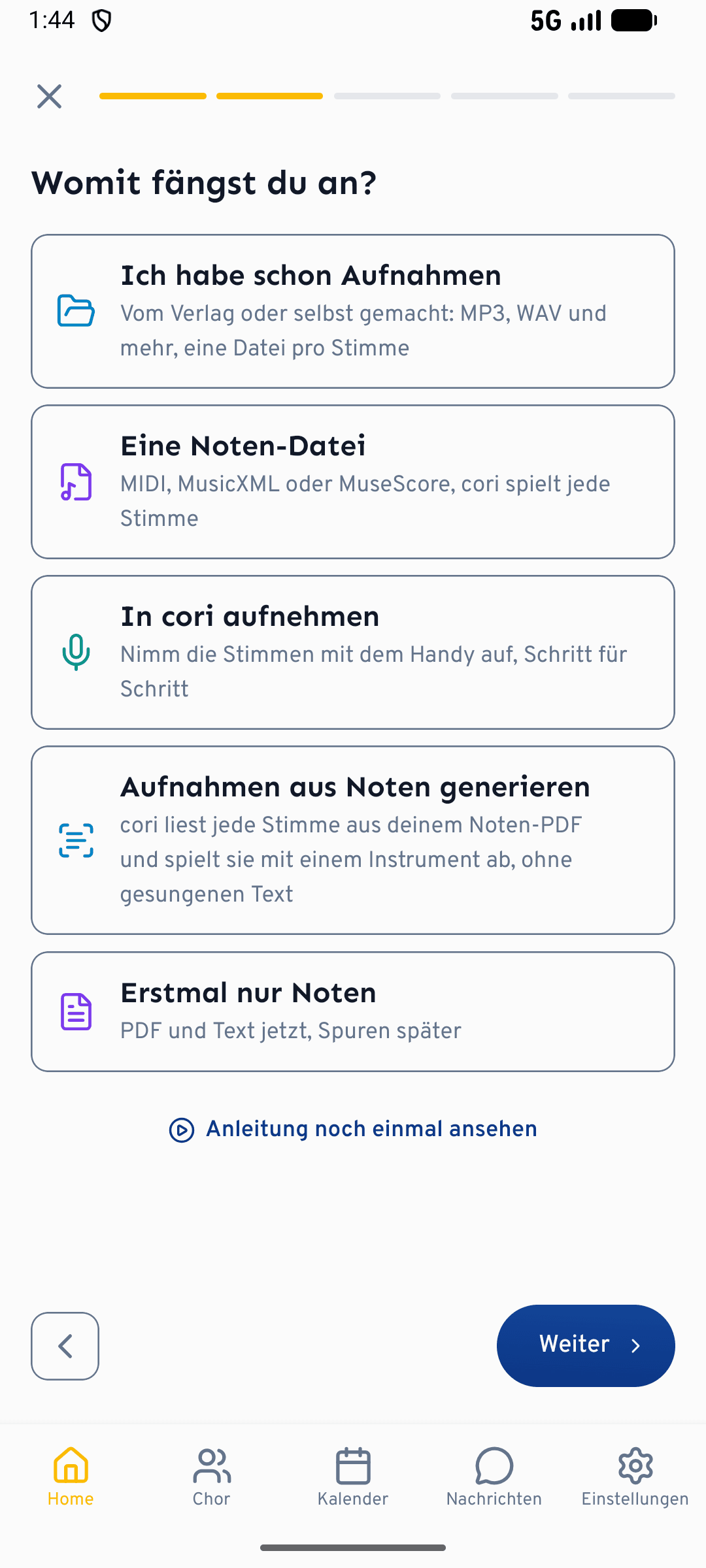
The check while scanning catches problems before they happen: no recognition reads a blurry or shadowed page well. The app names the pages concerned and the reason, and you rescan only those.
What cori reads from the sheet music
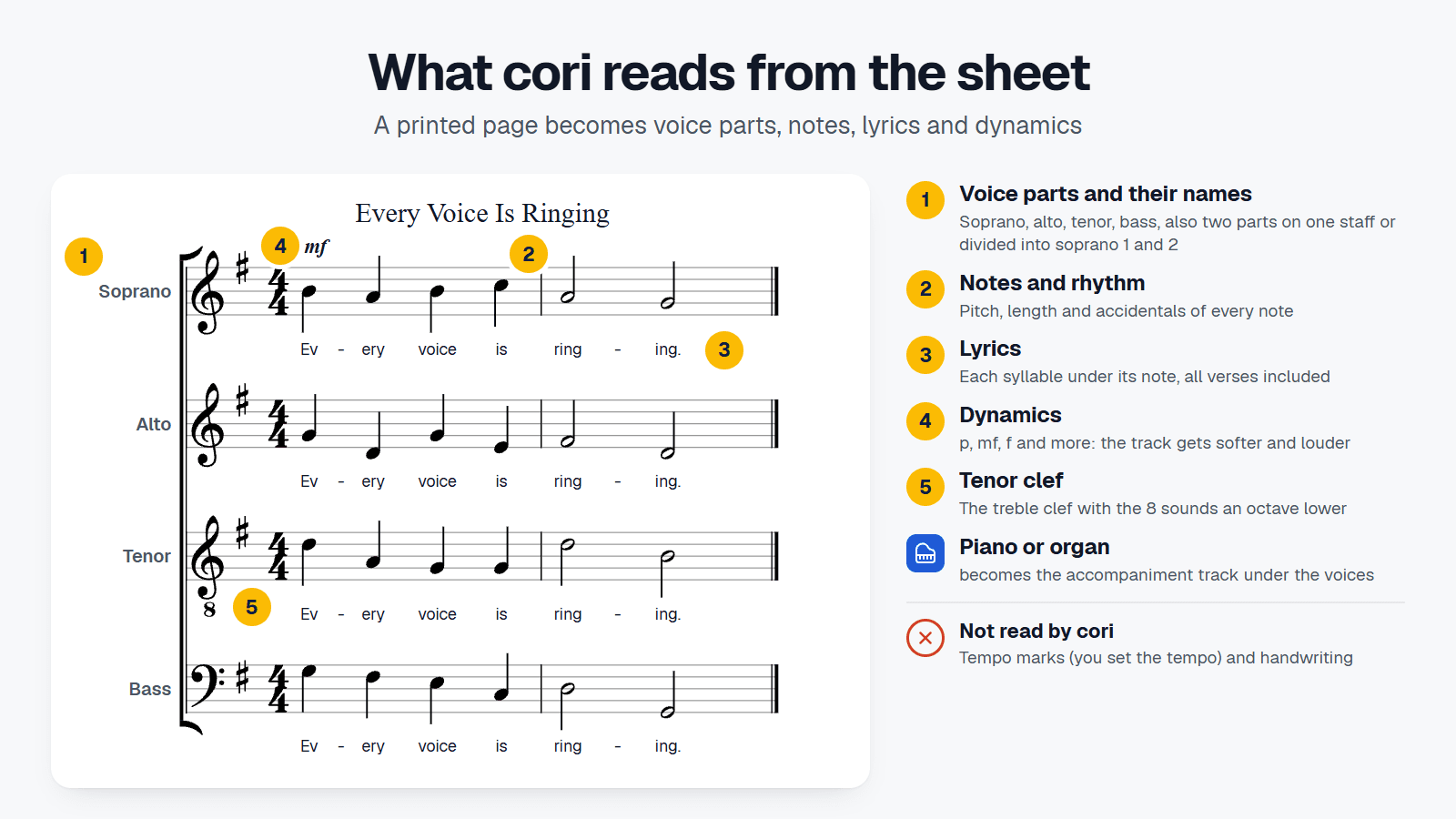
- Voice parts: cori finds the staves of the score and assigns them to voice parts, also when two parts share a staff. If “Soprano” or “Tenor” is printed in front, cori takes the name. If not, it assigns the parts from top to bottom as soprano, alto, tenor and bass. A piano or organ part becomes the backing track.
- Notes, rhythm and dynamics: pitch, length, accidentals and triplets, plus marks such as p, mf or f. You can hear the dynamics: the practice track gets softer and louder in those places.
- Lyrics: text recognition reads the syllables under every staff and puts each one under the note it belongs to, several verses included. While you sing along, cori highlights the syllable that is due.
- Title and tenor clef: cori takes the title from the page. If the tenor is written in the treble clef with the small 8, cori puts it an octave lower, where it sounds.
What cori does not read: the recognition does not take over tempo marks. You set the tempo when you create the song, and while practising everyone makes it faster or slower in the player. So the practice track doesn't follow tempo changes within a piece, such as a ritardando or a new tempo in the middle section: it plays at one tempo throughout. cori does not read handwritten scores. And if a part's repeat signs don't pair up, cori plays it through once and tells you in the check.
How accurate is the sheet music recognition?
No sheet music recognition is free of errors. Reading whole pages in one go is still a highly complex challenge for most methods in research (Martinez-Sevilla et al., 2025). Where no error may slip through, the survey by Calvo-Zaragoza and colleagues says that a human still has to check the result. So we measured carefully how well cori reads.
Since September we have tested the recognition on more than 2,400 scores whose content we know exactly: chorales and madrigals, a ten-part choral score, more than a thousand scores for all kinds of ensembles and more than 1,300 songs for voice and piano. For every page we compared what cori reads with what is actually printed.
- A four-part chorale from a clean PDF came out without a single error: every note, every syllable.
- 947 songs we did not use during development: from clean PDFs, 99% of the notes and 99% of the syllables read correctly.
- Signs of use: a phone photo, highlighter, pencil marks and a page curving out of a folder cost only a few percentage points. A copy of a copy does markedly worse, with faded lines and clogged note heads.
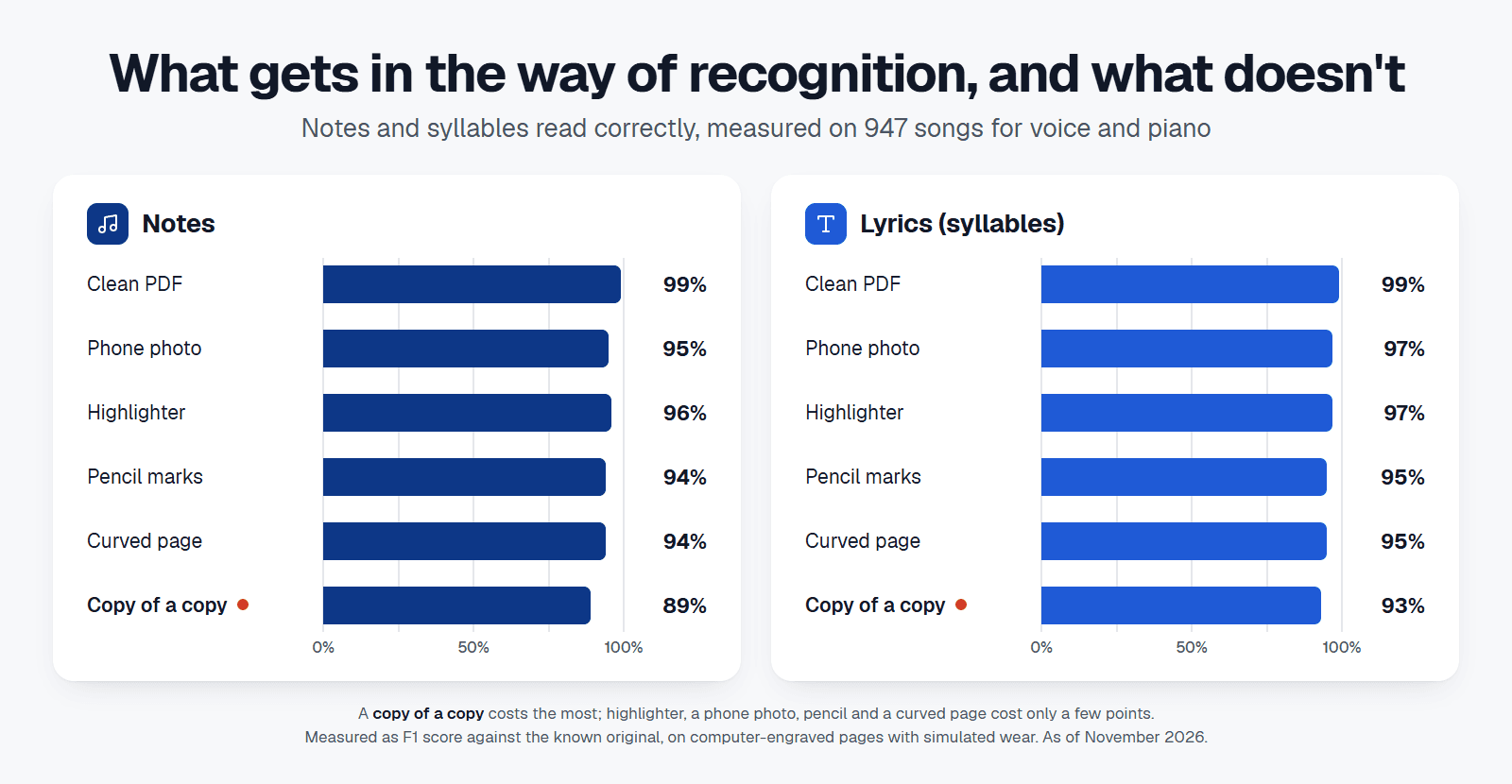
| Source | Notes correct | Syllables correct |
|---|---|---|
| Clean PDF | 99% | 99% |
| Phone photo | 95% | 97% |
| Highlighter | 96% | 97% |
| Pencil marks | 94% | 95% |
| Page curving out of a folder | 94% | 95% |
| Copy of a copy | 89% | 93% |
The hardest pages remain those with stains, creases and staves photographed at an angle. A new, straight scan is worth more there than any fixing afterwards. And that is why the check before publishing exists.
Checking the recognised notes: what the director looks for
Under “Bars to check” cori lists where a closer look pays off:
- Uncertain bars: the recognition was unsure of a pitch or an accidental. The bar is marked in the score.
- Missing bars: if a part has fewer bars than the others, cori says so. The rest of that part is then shifted.
- Difficult pages: pages on which the recognition could not read anything, and low-resolution scans. If the recognition was unsure in many bars, cori suggests a new scan, flat and in good light, instead of a long list.
If it says “Nothing stood out”, still listen to every voice once. Under “Voices” you also see where each recognised part went: to a voice part, to a “Backing track” or “Not used”.
If a bar is wrong, there are two ways forward. Usually a new scan of the page, straight and in good light, does it. Or you download the recognised notes with “Download MusicXML”, correct them in a notation program such as MuseScore and create the song from “A score file”. Nearly every notation program reads MusicXML, so the file also works as the basis for an edition of your own. Soon there will be no detour: with a notation editor right in the check, you fix misread bars in cori itself.
What singers get out of it
Singers who prepare for rehearsal mostly do it by ear. In two surveys by Heike Henning and Julia Vigl, 70% of adult choir singers prepared for rehearsals, over 90% listened to the pieces to do so, and more than two thirds found practice CDs helpful (nmz, 2019). With sheet music recognition, those practice recordings come from the sheet music PDF you already have.
Once published, the song is an ordinary cori song with one track per voice part:
- Your own part louder: in the mixer you turn your own part up and the others down until they are just a backdrop.
- A sound that carries: the parts are played with a sung “ah”, or with organ, flute, piano or a pure tone if you prefer. Organ, flute, singing and pure tone hold every note for its full length, so singing along is easier than with a fading piano.
- Slow and on a loop: play hard passages slower and on a loop until they stick.
- Sing along with feedback: because cori knows the notes, it listens while you sing along and shows which notes you hit.
For directors this means a piece can be practised as soon as the sheet music is there, not only once someone has found time to record it. With a practice plan the director sets which passages should be secure by the next rehearsal. Why regular practice between rehearsals makes such a difference is explained in Practice recordings in the choir.
Scanning sheet music: what is allowed
The recognition does not change copyright. A scan is a copy, and in Germany, for example, sheet music may only be copied with the rights holders' consent (§ 53 (4) UrhG), amateur choirs included. You can scan public-domain music freely; for protected editions you need the publisher's permission. Many free choral scores already exist as PDFs that you upload directly: the Choral Public Domain Library offers scores of at least 55,842 choral and vocal works (as of July 2026). When a work is in the public domain and where to find grants for sheet music is covered in Manage choir sheet music digitally. In cori, only directors and admins create songs anyway.
Frequently asked questions
Can cori scan sheet music and play it? Yes. Scan the music with the cori app's camera or upload a PDF, then choose “Generate recordings from the sheet music”. cori reads every voice part and plays each one on its own, with lyrics and dynamics. Before anyone else hears it, the director checks the result.
What kind of sheet music does cori read? Printed music: choral scores with one or two parts per staff, songs with piano, including pages with pencil marks or highlighter. cori does not read handwritten scores.
How long does the recognition take? Usually a few minutes. In our measurements a two-page score was read in about a minute and a half, a 14-page one in just under five. cori sends a notification as soon as the notes are read.
Does cori read the lyrics too? Yes. Each syllable lands under the right note, several verses included. The practice track doesn't sing the words, though: cori plays every part on an instrument, and the default is a sung “ah”.
How accurate is the sheet music recognition? On 947 songs we did not use during development, 99% of the notes and 99% of the syllables were read correctly from clean PDFs. Pencil, highlighter and phone photos cost only a few percentage points; faded copies cost more. That is why cori flags uncertain bars and the director checks before publishing.
Can I correct notes that were read wrong? Yes, through the MusicXML file: download the recognised notes in the check, correct them in a notation program such as MuseScore and create the song from “A score file”. Often a new, straight scan in good light fixes it too. Soon you'll be able to fix misread bars right in cori, with a notation editor in the check.
Who sees the song before it is published? Only directors and admins. The song reaches the whole choir once you tap “Publish to choir”.
Does the recognition work in the browser? Yes. In the browser you upload a sheet music PDF, and checking and publishing work the same way. Taking photos of the pages works in the app.
Does the sheet music recognition cost extra? No. It is part of your choir's cori subscription, including the 30-day trial.
How to get started
- Update coriUpdate the app on your phone or open cori in the browser.
- Create a song with sheet musicCreate a new song, scan the music or choose the PDF, then “Generate recordings from the sheet music”.
- Check and publishAfter the notification, listen to every voice once, look at the flagged bars and tap “Publish to choir”.
If you are new to cori:


How to organise your sheet music digitally and take it offline into rehearsal is covered in Manage choir sheet music digitally. How practice plans and the sing-along work together is described in Hit the right notes. Everything else is in the feature overview.
Questions and feedback about your scans go to info@getcori.app.
Sources
- Jorge Calvo-Zaragoza, Jan Hajič jr., Alexander Pacha (2020): Understanding Optical Music Recognition. ACM Computing Surveys 53 (4), article 77.
- Martinez-Sevilla et al. (2025): Sheet Music Benchmark, 685 pages of sheet music for comparing recognition methods. ISMIR 2025.
- Gunter Kreutz, Peter Brünger (2012): Musikalische und soziale Bedingungen des Singens: Eine Studie unter deutschsprachigen Chorsängern. Musicae Scientiae 16 (2), pp. 168–184.
- Heike Henning, Julia Vigl (2019): Hallo, wer singt denn da? A study of (young) choir singers in German-speaking countries. neue musikzeitung 4/2019.
- German Music Information Centre (miz): statistics on amateur music-making in associations, as of January 2026.
- W3C Music Notation Community Group: MusicXML 4.0, Final Community Group Report, 2021. Number of programs according to musicxml.com.
- Choral Public Domain Library, as of July 2026.
- § 53 UrhG: German copyright act, copies for private and other own use.
Discover more: All cori features · Try cori free for 30 days
Get your choir ready for the future
So you can concentrate on what matters most: the music.
Share this article
More Articles

Practice recordings in the choir: How your singers really practice at home
Practice recordings are the most valuable tool between rehearsals, if you use them right. From MIDI and scanned sheet music to sung-in parts, from listening to a practice plan for the next rehearsal: how practice material turns into real practice.
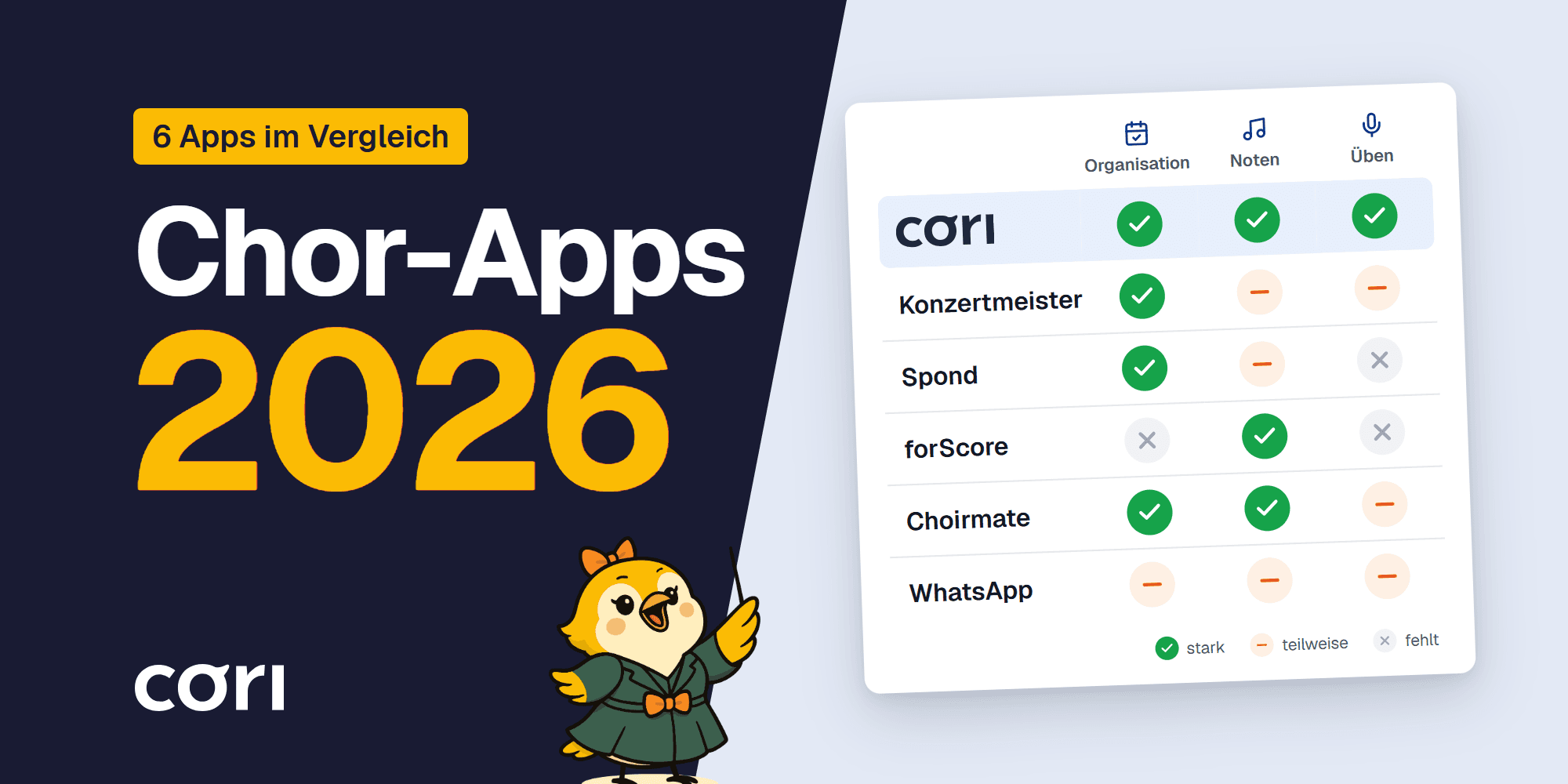
Choir Apps 2026 Compared
Seven choir apps compared for 2026: Konzertmeister, Spond, forScore, ChoirMate, Chorilo, cori and WhatsApp. What works for organization, and what for practice?