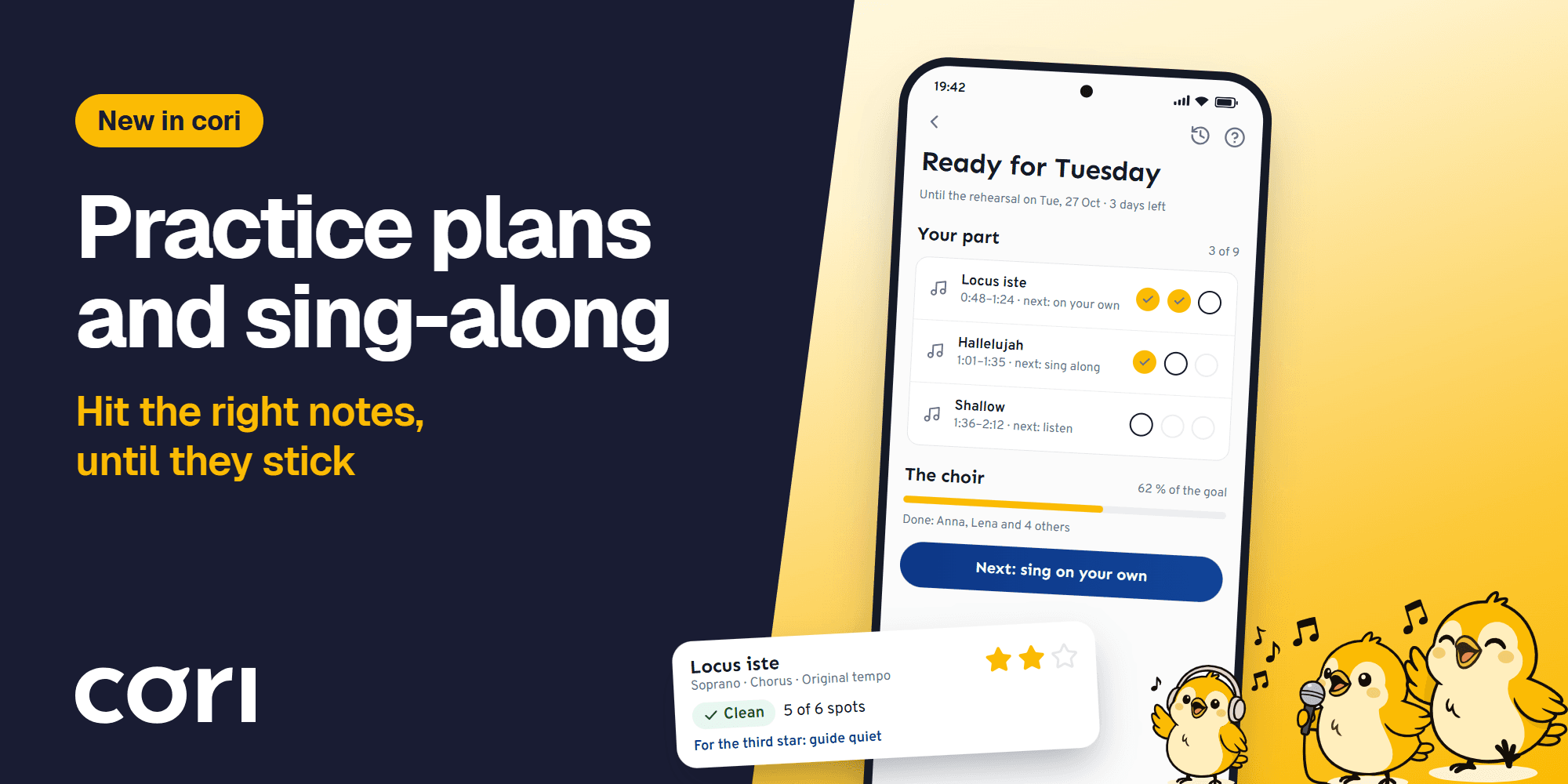
Hit the Right Notes: Practice Plans and the New Sing-Along in cori
November 4, 2026
•

Jonas Deuchler
Founder, coriMost people who practise for their choir at home play the song through a few times and sing along as best they can. It feels like practising. At the next rehearsal, the same spots still fall apart: the entry after the rest, the chromatic line, the transition into the ending. Two reasons: nobody said which spots were meant. And nobody heard whether the notes really sat.
With the current release cori changes both. A practice plan says what should sit by the next rehearsal: the director picks the spots, and every run counts towards a shared goal. The rebuilt sing-along listens while you sing, shows every note against the target and works on the one shaky spot with you until it holds at the original tempo.
For singers that means: you know what to practise, you hear whether it's right, and nobody else is listening. For directors it means: rehearsal no longer starts with learning the notes.
In short:
- A practice plan belongs to an appointment. The director picks spots from the songs of the next rehearsal, and the plan runs until the rehearsal starts.
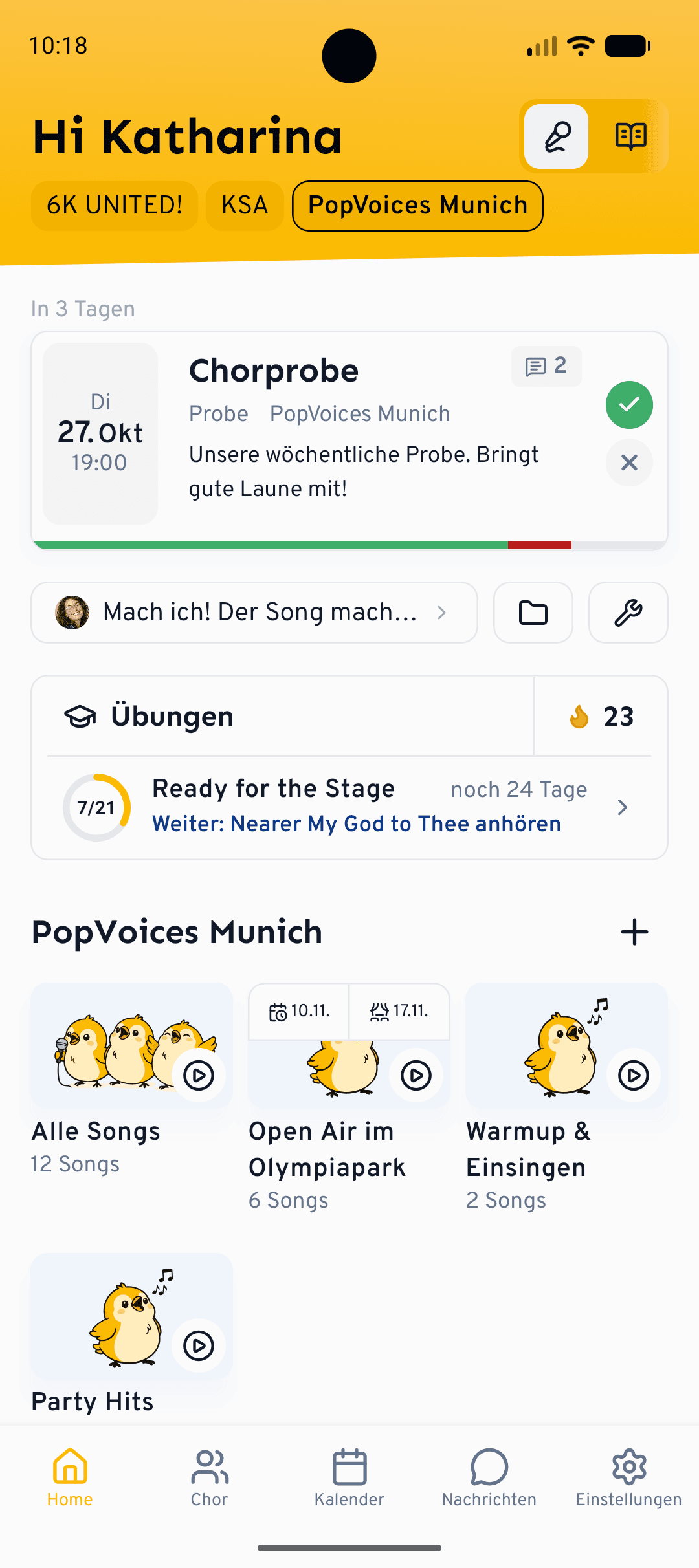
- Every run counts, wherever you practise: listening in the player, singing along with the guide or without it. The home screen always shows your next step.
- The sing-along grades every spot on its own, takes the shaky one into a loop and awards up to three stars per part. The third star asks for exactly what rehearsal needs.
- The choir sees its goal in percent. Only the director sees who is still missing.
Three steps until a spot sits
A spot doesn't sit because you have heard it many times. It sits when you sing it without a model, at the right tempo, with the other voices around you, just like in rehearsal. That is exactly where a practice plan leads, in three steps:
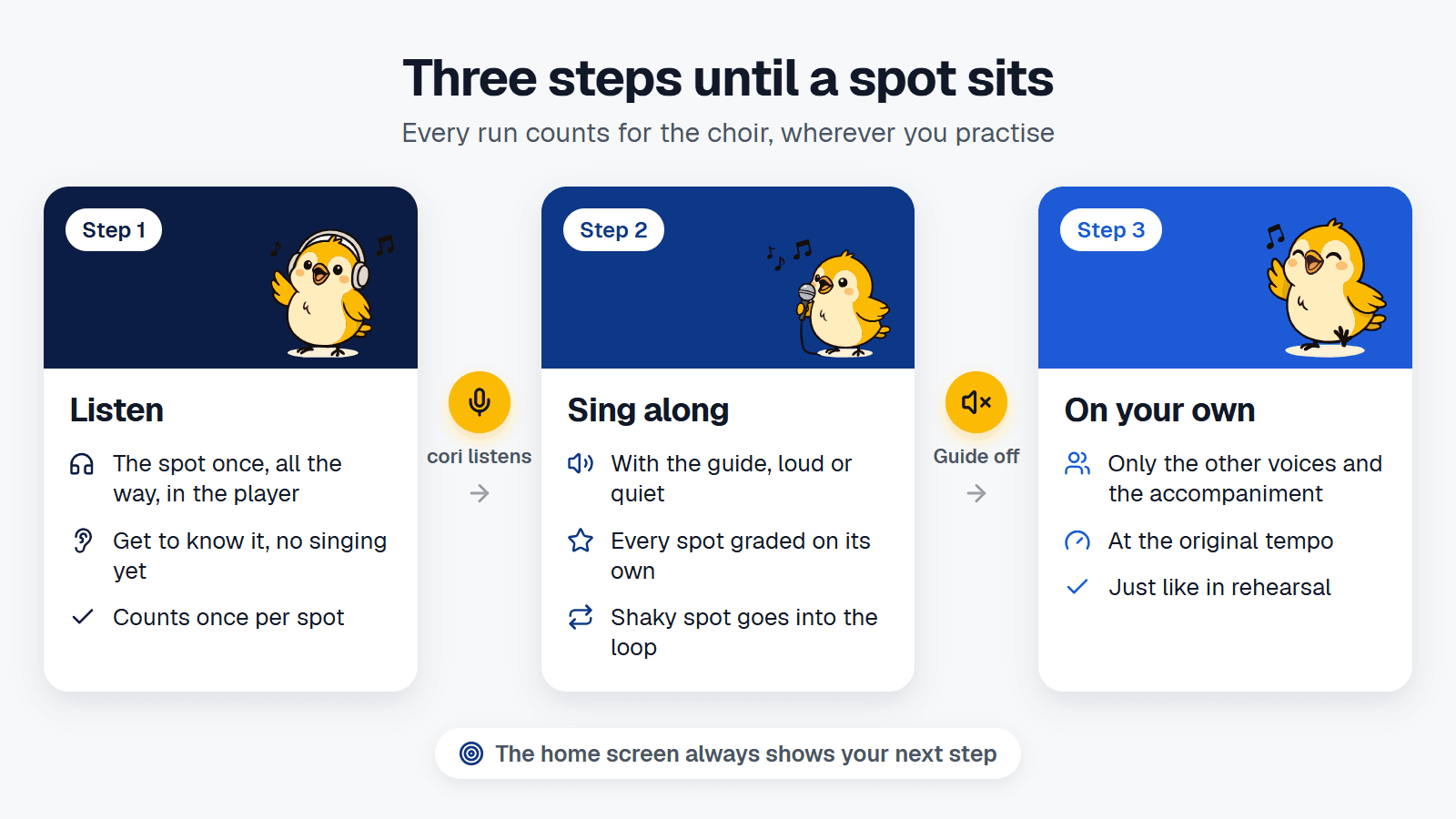
- Listen: a full pass of the spot in the player counts as the first step, once per spot. You get to know the spot without having to sing yet.
- Sing along: you sing the spot with the guide, cori listens and counts the run.
- On your own: the same with the guide set to "Off", so only the other voices and the accompaniment, like in rehearsal.
The help falls away step by step on purpose. Help on every attempt makes practising easier but creates dependence: take it away and less of the skill remains. Motor learning research calls this the guidance hypothesis (Salmoni, Schmidt and Walter 1984).
A spot with three runs goes through all three steps once, a spot with two runs uses the first two. If you practise more than asked, you repeat the last step. There is no separate practice mode you first have to find: you practise where you already practise, and cori keeps count. Exactly what counts as a run is explained in the practice plan help article.
The home screen always shows your next step, such as "Next: listen to Locus iste" or "Next: sing Locus iste on your own". In the app the player marks the spots of a running plan, and at the end of a spot it briefly reports "Run counted".
Sing-along: cori listens
The sing-along starts with two choices: which voice and which part. You can sing the whole song or just one part, say the chorus. Then there are two controls.
The guide is your own voice from the practice recording, playing along with you:
- Loud: your voice is sung to you clearly. Good for getting to know a spot.
- Quiet: your voice plays along softly, you lead.
- Off: only the other voices and the accompaniment, like in rehearsal. The other voices come up a little so you have something to hold on to.
The tempo comes in three levels: 70 %, 85 % and the original tempo. Slower for learning is explicitly intended.
Before the first note, cori checks in briefly. Are headphones connected? The speaker works too, but with headphones the microphone hears only you. If a part goes beyond your measured vocal range, cori says so beforehand. And if you haven't warmed up yet, cori offers a two-minute warm-up, three short exercises.
While you sing, the lane shows your notes against the target notes. What sits turns gold. That a real-time pitch display helps you hit the notes was shown as early as 1989 in a primary school class in Bristol: seven-year-olds who sang with such a display for one school term improved their pitch accuracy significantly more than a comparison group without it (Welch, Howard and Rush 1989). A cue appears only when a note is due, not constantly. On tablets and in the browser you can also show the sheet music, next to the lane in landscape and above it in portrait.
The sing-along help article covers the guide, tempo, results and loop step by step.
The one spot that still wobbles
After a run, the result shows every spot on its own: "Clean", "Close" or "still shaky", each with the number of notes that sat. So you don't just see a score, you see exactly where it gets stuck.
The shaky spot goes straight into the loop. It starts a little slower and runs in sets of three rounds. After each set cori stops and asks whether you want to go on. Two clean rounds in a row, and the tempo goes up a level. One clean round at the original tempo, and the spot counts as "Got it". If a set falls off noticeably, cori suggests going on more slowly. The loop ends with "Sing the whole part": checking whether the spot also holds in context.
How long you practise a spot matters less than how. In a study of 17 piano students, practice time did not predict who played a difficult passage securely the next day. The best performers addressed every error right where it occurred, varied the tempo deliberately and repeated the passage until it was stable (Duke, Simmons and Cash 2009).
Come back the next day and the headline of your result shows the difference from the day before. That is deliberate: a spot doesn't sit after one good run, it sits when it is still there the next day. A study of 29 musicians learning a short note sequence on the piano fits this: they became more accurate in their second practice session only when 24 hours lay in between, not after 5 minutes or 6 hours (Simmons 2012).
Three stars mean: ready for rehearsal
Every run gets points for pitch and timing. Stars are awarded per part of a song, and they ask for more than a number:
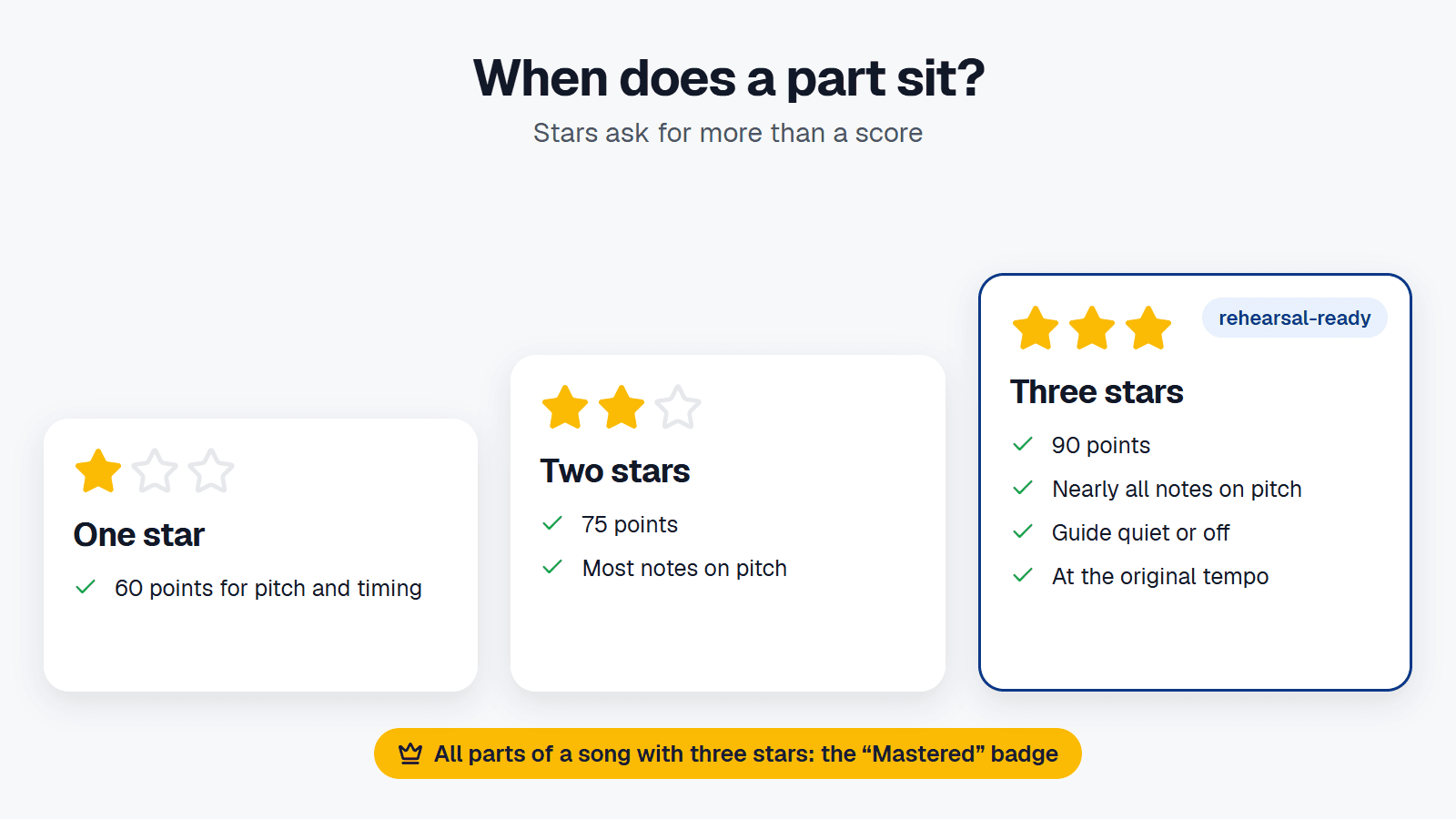
The third star therefore asks for exactly what a part needs in rehearsal: no loud model to follow, at the right tempo. After every run the result tells you what the next star still lacks, and cori suggests the next step, for example the same part at the original tempo or with the guide quiet. Once you have sung every part of a song with three stars, you get the "Mastered" badge.
The practice plan: two minutes for the director
A practice plan is the preparation for one specific appointment, usually the next rehearsal or a performance. The director picks individual spots from the songs of that appointment and sets how often each one should be practised. A spot can be addressed to particular voices, say only tenor and bass. A lesson from the Learning Path can go into the plan too, for example a rhythm exercise ahead of a piece full of syncopation.
The plan runs until the appointment and ends with it. What gets practised is what the next rehearsal needs, and after that the plan is done. Setting one up is quicker than writing a message in the chat:
- A suggestion on a new appointmentIf a new rehearsal or performance has songs and takes place in two days to three weeks, cori asks the director right after creating it whether to add a practice plan. Anyone who doesn't want that picks "Don't ask again". For any other appointment with songs, "Create practice plan" is there when you edit it.
- Pick the spotscori prefills the plan with up to three of the appointment's songs, with at most two runs per spot. The director adjusts spots, runs and voices. If the plan grows beyond about 20 minutes per person, cori points that out.
- Start and announceAfter the start cori asks whether to announce the plan in the choir chat. The card in the chat shows the spots and the progress, with a "Practise" button right on it. Whether cori asks every time, always announces or never does is set in the practice plan settings.
Every setting, from the choir goal to the chat announcement, is explained in the help article on creating a practice plan.
What the choir director sees
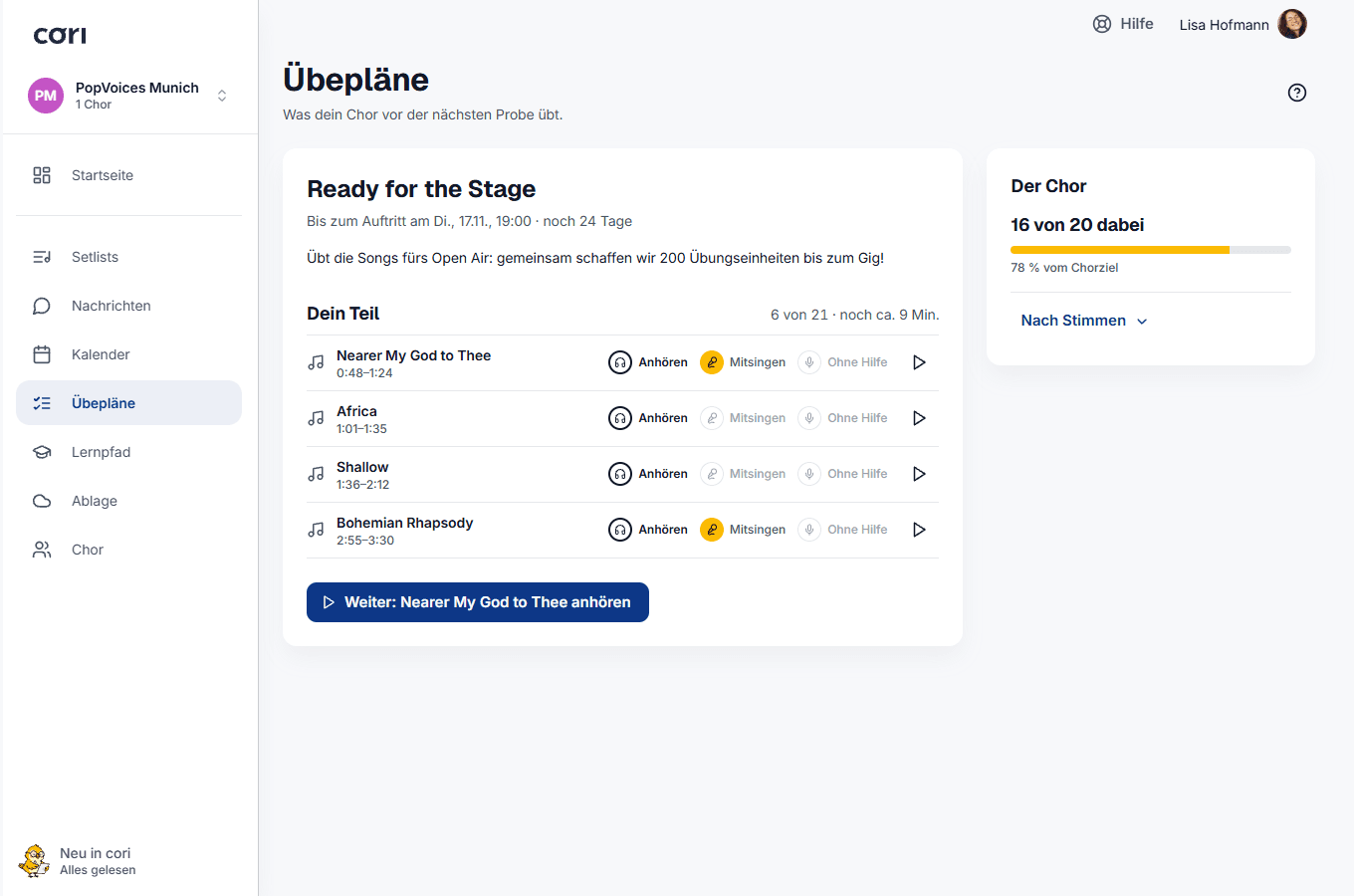
Every plan has one number: the share of the choir goal in percent. It is the same everywhere, on the home screen, in the plan view and on the card in the chat. From four people per voice, cori also shows the progress per voice section. Not for smaller sections, since the bar would then point at individual people.
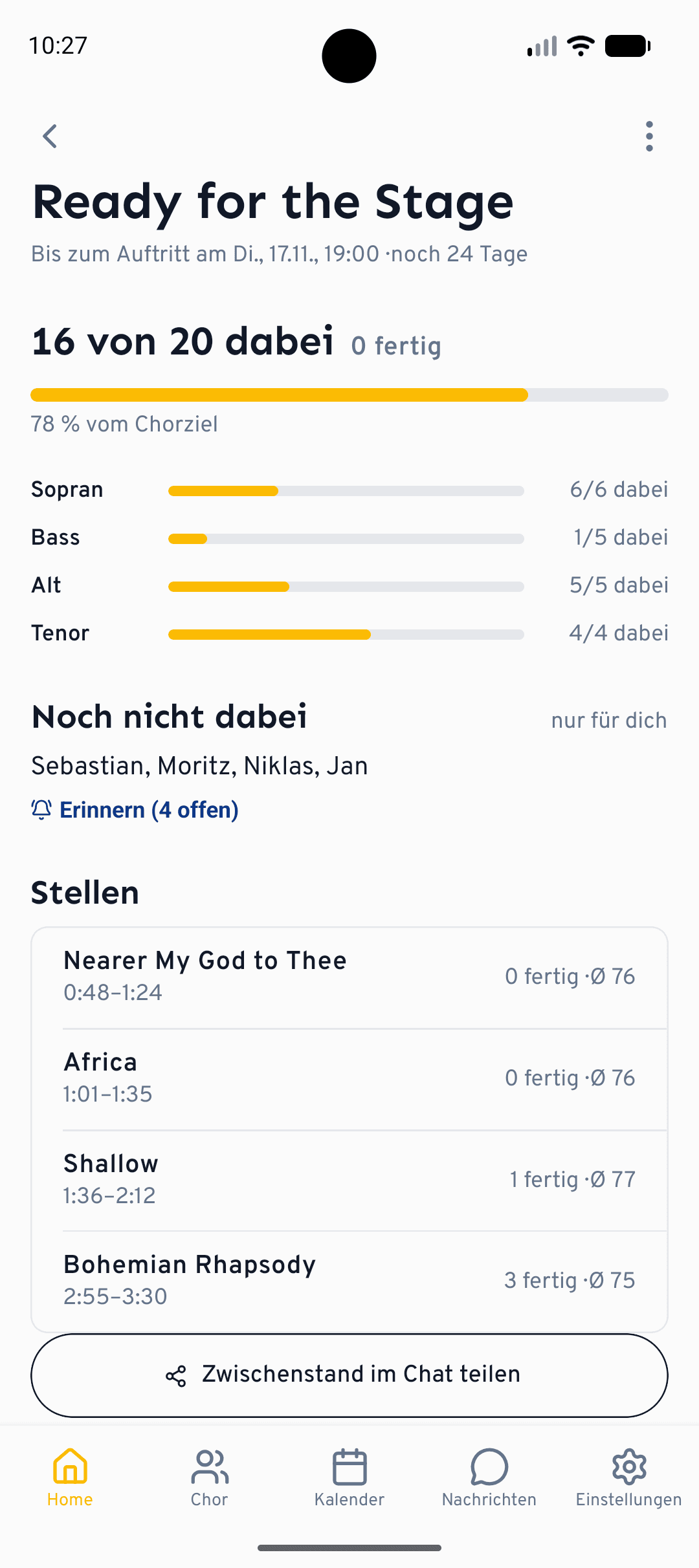
Everyone sees who is done, as long as the choir has it switched on. Who is still missing is visible only to the director, and that cannot be changed. From there a reminder goes to exactly those people, without the whole choir getting a message.
After the appointment the app shows results: goal reached or what percentage of it, how many took part, which spot was the hardest and how the voice sections did. The hardest spot is usually the one the rehearsal should start with. From there, "Say thanks in the chat" goes out to everyone who practised. Earlier practice plans stay available.
Motivation without a leaderboard
A practice plan is not a competition. There is no leaderboard, and whoever hasn't practised shows up only for the director. What there is:
- XP: 10 for every sung run in the plan, 20 when your part is done. They count towards the same level as the Learning Path.
- Choir spirit: a badge in four tiers, after 1, 5, 15 and 30 completed practice plans. It shows how often you have supported your choir before a rehearsal.
- Done together: when the choir reaches its goal, cori celebrates it once, and you can join in.
The app also reminds you of your next step in the plan, with your voice and the step, not of "practising" in general.
Your voice stays on your device
In the sing-along, pitch detection runs on your device. The recording you can listen back to after a run stays there and is not uploaded. In the browser it is kept in memory only, until you leave the page. Your sing-along history with stars and runs is also stored only on the device you practised on.
For the practice plan, the app reports the run to the choir: which spot, which step and, if you sang, the score. That is what the percentage, the list of finishers and the results are made of. The director sees scores only as an average per spot and voice section, never for individual people. The recording itself stays with you. What cori stores where is covered in the sing-along help article and in Your data and privacy.
App and browser
Practice plans and the sing-along are in the cori app and in the browser, with guide, tempo, loop and stars in both places. Three things are only in the app for now: the marked spots right in the player, the results after the appointment and the reminders for your next step. Sheet music while singing is shown by the app on tablets and by the browser from a medium window width.
Frequently asked questions
Do I need the app for practice plans? No. Creating a plan, starting it, practising and following the progress works just the same in the browser. The results after the rehearsal and the reminders for your next step are only in the app for now.
Does listening really count as practising? Yes, as the first step and once per spot. A full pass of the spot in the player counts, unless your choir has switched that setting off. For songs without separate voice tracks every pass in the player counts, because there is nothing to sing along to.
Does the choir director see who hasn't practised? Yes, and only the director. Everyone else sees the choir's progress in percent and, if the choir has it switched on, who is done. There is no leaderboard.
What do I need for three stars? 90 points, nearly all notes on pitch, the guide quiet or off and the original tempo. Slower, or with the guide loud, two stars is the most you can get.
Is my voice uploaded? No. Pitch detection runs on your device and the recording stays there. For the practice plan the app reports the counted run with its score. The director sees only averages per spot and voice section, no individual results.
Does the sing-along work without headphones? Yes, through the speaker. With headphones the result is more accurate, because the microphone then hears only you. In the browser cori asks beforehand and filters out the playback echo when you have no headphones.
Are practice plans part of the subscription? Yes. Practice plans and the sing-along are part of your choir's cori subscription, including the 30-day trial.
What happened to challenges? Practice plans replace them. Instead of a weekly goal with repetitions there are now spots for one appointment, and listening, singing along and singing on your own count as steps.
How to get started
- Update coriUpdate the app on your phone, or open cori in the browser.
- Directors: create a planEdit your next rehearsal, choose "Create practice plan", check the suggested spots and start. The rehearsal needs songs for this.
- Singers: follow the next stepThe home screen shows what is next. Listen, sing along, sing on your own. The rest counts itself.
If you are new to cori:


How to practise your choir part on its own and what the director prepares for it is on our practice app page. Where good practice recordings come from and how the mixer turns your own voice up is covered in two earlier posts. The Learning Path trains ear, rhythm and voice without sheet music, and its lessons fit into a practice plan as well. Everything else is in the feature overview.
Questions and feedback from your rehearsal go to info@getcori.app.
Discover more: All cori features · Try cori free for 30 days
Sources
- Alan W. Salmoni, Richard A. Schmidt, Charles B. Walter: Knowledge of results and motor learning: A review and critical reappraisal. Psychological Bulletin, 1984.
- Graham F. Welch, D. M. Howard, C. Rush: Real-time Visual Feedback in the Development of Vocal Pitch Accuracy in Singing. Psychology of Music, 1989.
- Robert A. Duke, Amy L. Simmons, Carla Davis Cash: It's Not How Much; It's How: Characteristics of Practice Behavior and Retention of Performance Skills. Journal of Research in Music Education, 2009.
- Amy L. Simmons: Distributed Practice and Procedural Memory Consolidation in Musicians' Skill Learning. Journal of Research in Music Education, 2012.
All links accessed on 4 November 2026.
Get your choir ready for the future
So you can concentrate on what matters most: the music.
Share this article
More Articles

Practice recordings in the choir: How your singers really practice at home
Practice recordings are the most valuable tool between rehearsals, if you use them right. From MIDI and scanned sheet music to sung-in parts, from listening to a practice plan for the next rehearsal: how practice material turns into real practice.
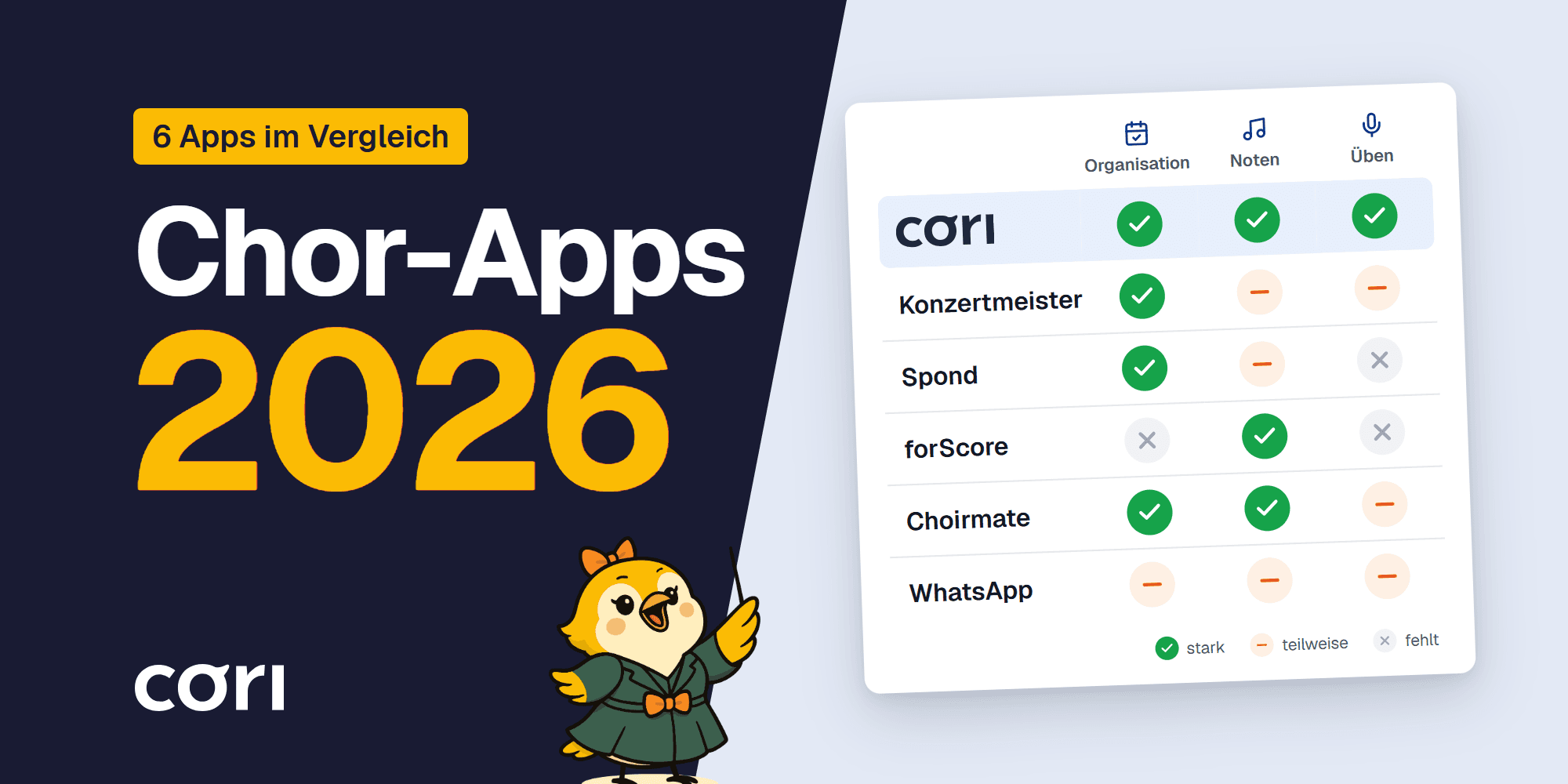
Choir Apps 2026 Compared
Seven choir apps compared for 2026: Konzertmeister, Spond, forScore, ChoirMate, Chorilo, cori and WhatsApp. What works for organization, and what for practice?