Using the metronome and overlay piano
Keep time with the metronome and check notes with the on-screen piano while reading sheets.
App only
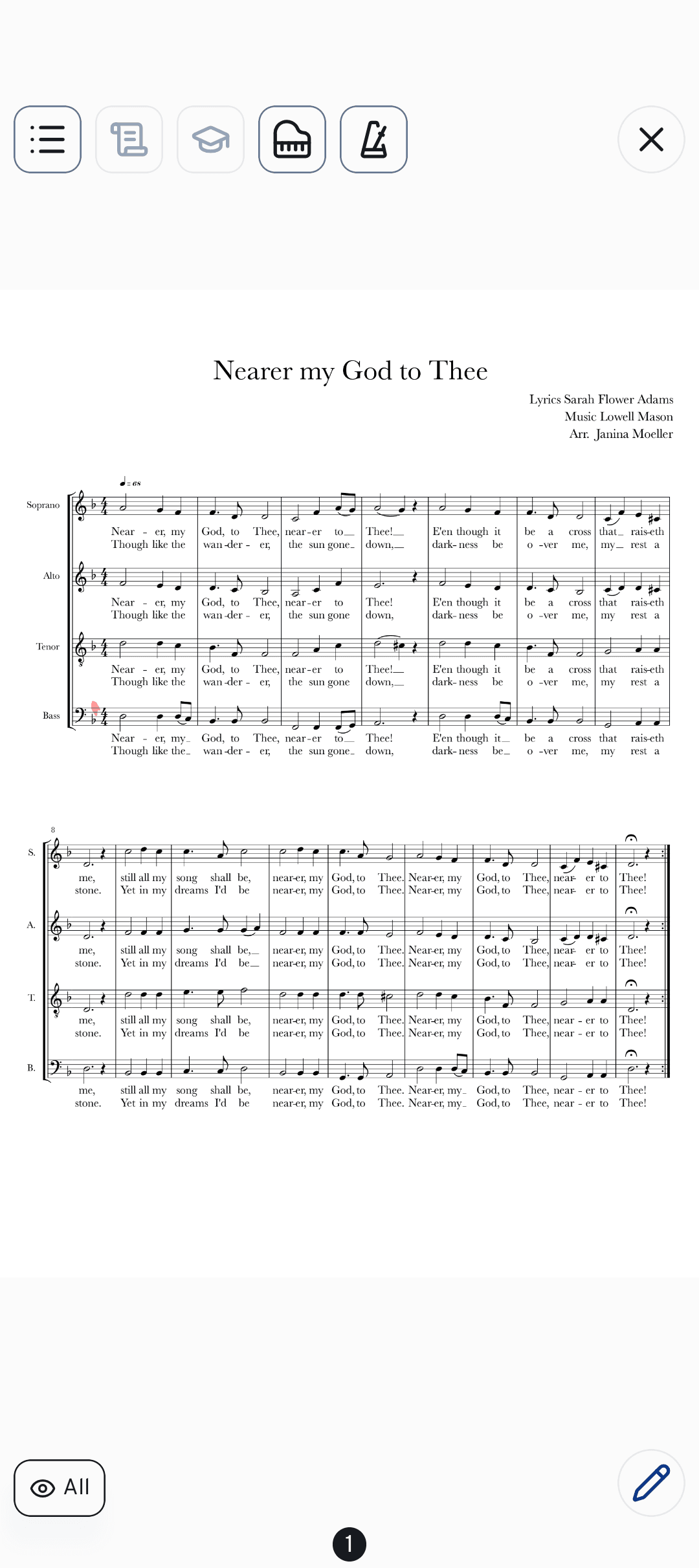
When you're reading sheet music in cori, two little tools make rehearsing on your own much easier: a built-in metronome to keep you in time and an overlay piano to check pitches without leaving the page. Both live in the full-screen Sheet Music view on the mobile app.
Open a song (or start a setlist in rehearsal mode) so its sheet fills the screen, then tap the sheet once to reveal the toolbar along the top. You'll find the piano and metronome icons there — tap the sheet again any time to hide everything and read undisturbed.

Turn on the metronome
Tap the in the toolbar. A small beat indicator appears and starts pulsing in time. For songs that already have a tempo saved, it starts at that tempo automatically.
Tap the beat indicator to open its panel. Use the speaker toggle to turn the click sound on — the metronome runs silently by default so it won't interrupt a live rehearsal.
Under Beats per minute, drag the slider, nudge with the – / + buttons, or tap along to the music to set the tempo by ear. Under Beats, tap a beat to cycle accented / normal / silent, long-press to remove one, or tap + to add a beat — that's how you match a 3/4, 4/4 or other time signature.
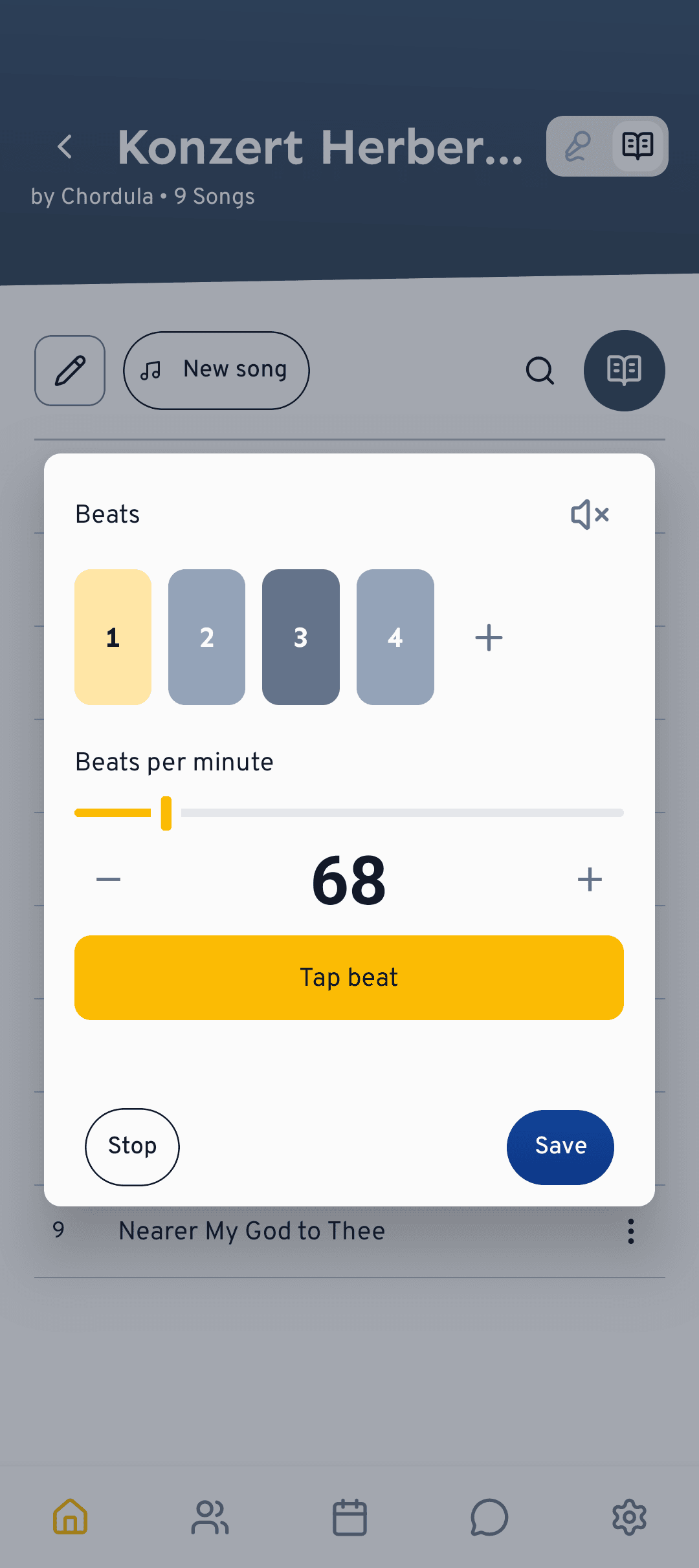
If you opened a song that has a tempo, tap Save in the settings panel to store your new tempo and beat pattern with that song, so it's ready next time. To hide the metronome, long-press the beat indicator or tap Stop.
Check notes on the overlay piano
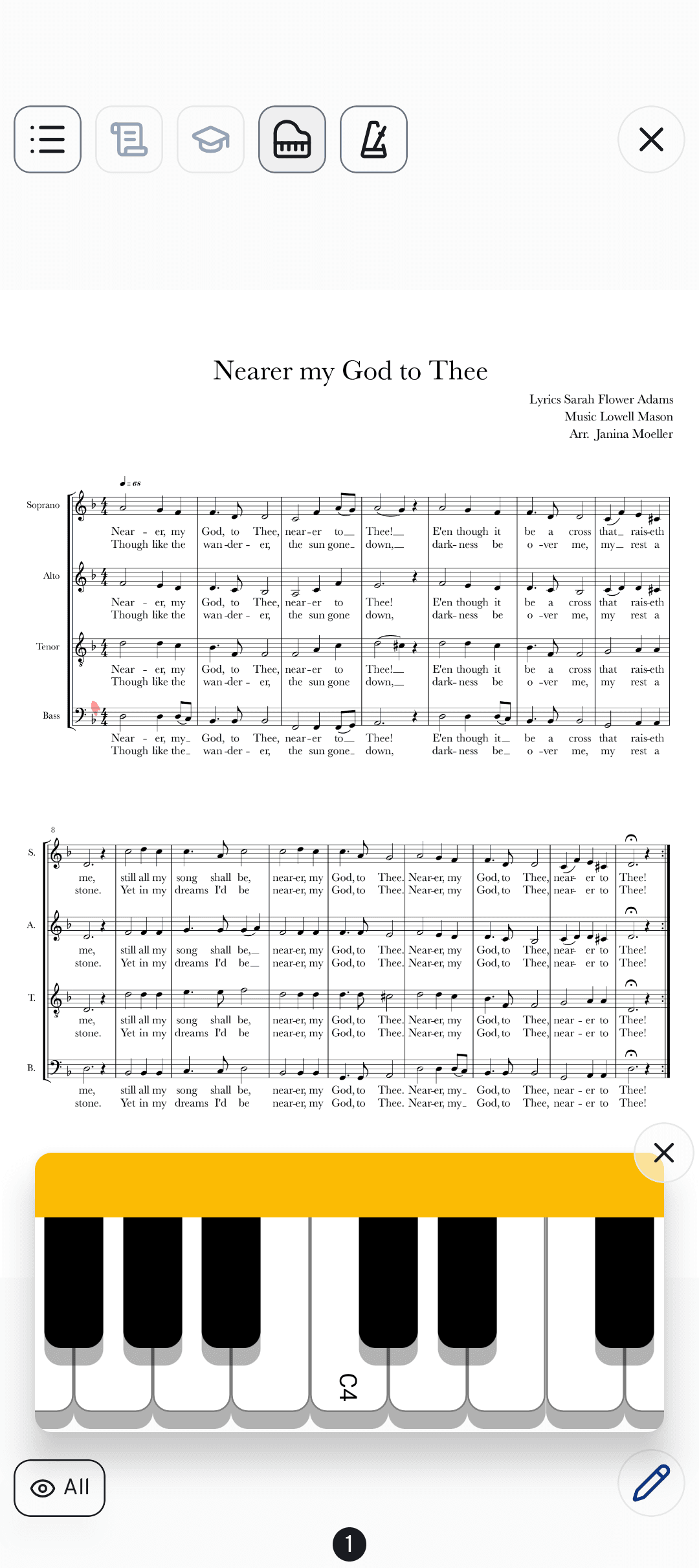
Not sure of your starting note, or want to hear an interval? Tap the in the toolbar and a keyboard slides up over the sheet.
Tap any key to hear that pitch. The keyboard covers the full range and is centred around middle C, so you can quickly find your entry note or sound out a tricky leap while the sheet stays in view.
Tap the ✕ in the corner of the keyboard to close it and carry on reading.
What's next?
- Mark up your part with sheet annotations.
- Understand the difference between playback and sheets.
Still stuck? Head to the contact page and our team will help you out.
Still need help?
Can’t find what you’re looking for? Send us a message and our team will get back to you.
Contact support