Learning tracks for every voice part
Open your score as a MusicXML or MuseScore file. Every voice part gets its own learning track, with that part clearly in front.
- Nothing is uploaded, it all runs in your browser
- Handles divisi and two voices on one staff
- MP3 or WAV, one by one or all as a ZIP
Make learning tracks
Drop a score file here
MusicXML (.musicxml, .mxl, .xml), MuseScore (.mscz) or MIDI (.mid)
Which learning track for whom?
Four types for every voice part. Pick the one that fits where you are.
Highlighted
Your part loud, the others softer. For learning: you hear how your line fits into the chord.
Alone
Just your part. For the first run-throughs and the tricky spots.
Without your part
Everyone but you. To check whether you really know your part.
Left/right
Your part on the left, the choir on the right. Mix them yourself with the balance control.
Plus the full choir if you like: every voice at the same level, the way the choir sounds.
Practise without sending files around
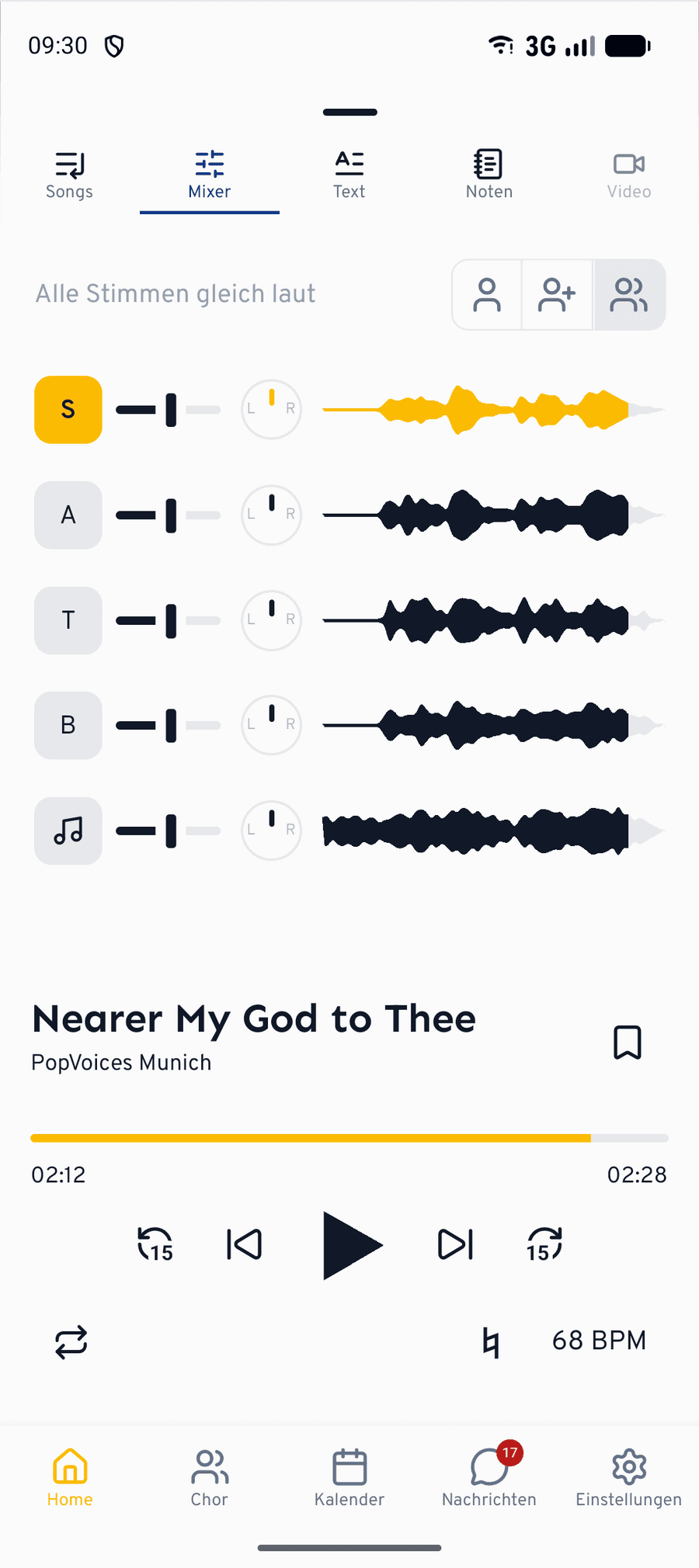
In cori your score becomes a song the whole choir practises with: every singer with their own part in front, on the phone or in the browser.
One link for everyone, no files in the group chat
Its own mixer with tempo for every voice
Sing along with pitch feedback
Practice challenges show who has practised
For tracks that come out right
Export MusicXML
In MuseScore, Sibelius, Finale and Dorico, MusicXML is under File and Export. You can also open MuseScore and MIDI files (.mscz, .mid) directly.
Name your voices
If the staves are called Soprano, Alto, Tenor and Bass (or S/A, or Women and Men), the tool recognises every part. Unnamed parts are sorted by range.
Divisi and repeats
Repeats, voltas, D.C. and D.S. are played out the way you sing them. A divisi that runs through the piece becomes two voices, a short one stays inside its voice.
Practical Answers
Learning tracks, also called rehearsal or practice tracks, are recordings of a choral piece with one voice part brought to the front. Singers use them to learn their part at home before the choir puts it together in rehearsal.
MusicXML (.musicxml, .xml and the compressed .mxl), MuseScore (.mscz, .mscx) and MIDI (.mid, .midi). Every common notation program exports MusicXML. In a MIDI file, the tool recognizes the voices by their track names. It can't read PDFs or photos of sheet music. From a PDF, cori reads the voices with their lyrics and turns them into practice tracks.
No. The tool reads the file and makes the learning tracks in your browser. Your score never leaves your device.
From the staff names, such as Soprano, Alto, Tenor and Bass, abbreviated too, or Women and Men. When two voices share a staff, it splits them. A divisi that runs through the piece becomes voices of its own. Unnamed parts are sorted by range, and you can rename every voice.
Repeats, voltas, Da Capo, Dal Segno and Coda are played out the way the choir sings the piece, so the learning tracks are as long as the performance.
You pick a sound for every voice: sung "ah", piano, organ, flute or pure tone. They are the same sounds as in the cori app. Set the tempo and the count-in before you make the files.
Learning tracks carry the same rights as the score they come from. For public-domain works that's no issue. For works under copyright, check with the publisher first whether you may make and share learning tracks for your choir.
Nothing, and you don't need an account. If your choir should practise with the voices in cori, you can try cori free for 30 days.
Is your choir practising with cori yet?
Songs with every voice, a mixer and sing-along, plus dates, sheet music and chat in one place.
Try it free for 30 days