Mixing voices and stereo panning
Balance the voice tracks of a song and pan your own part with stereo control.
App only
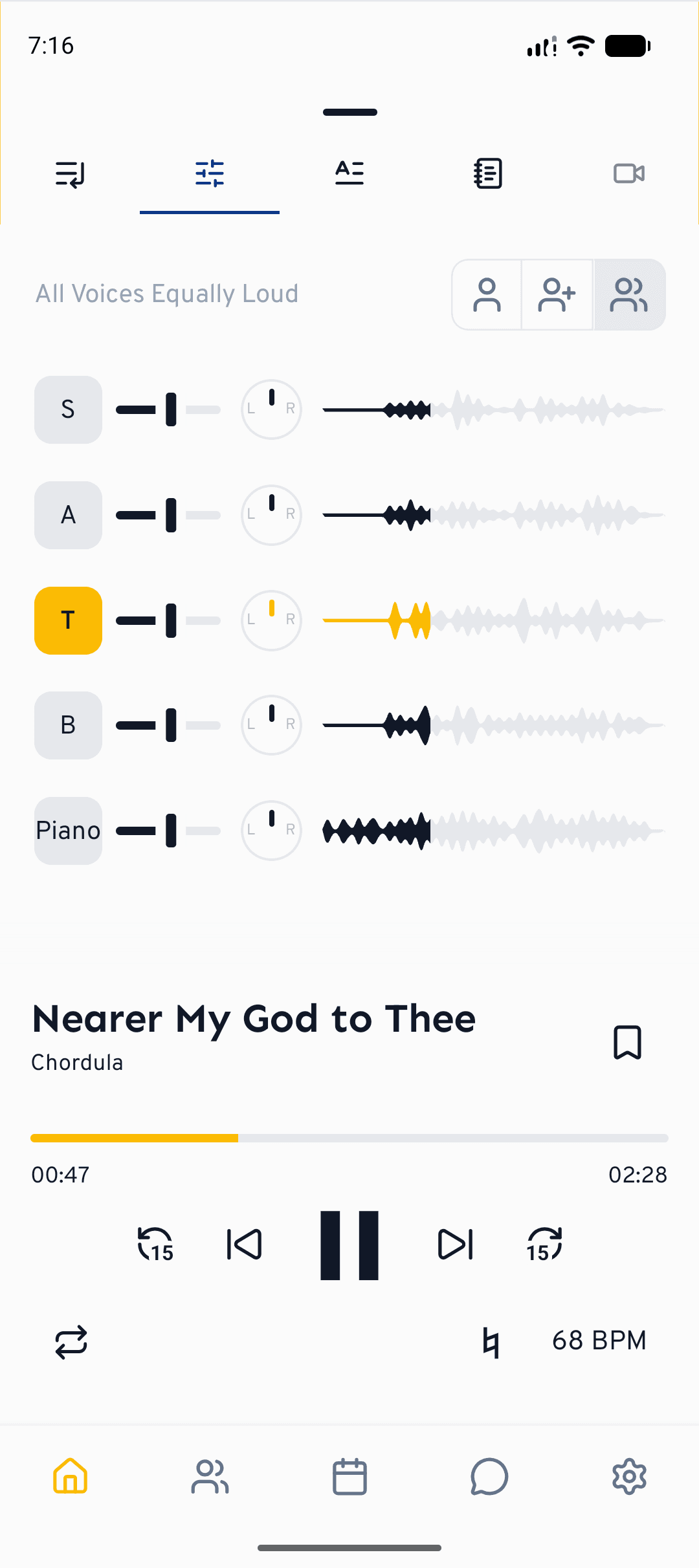
When you practise a song in cori, every voice part is a separate track. The Mixer lets you turn those tracks up or down, mute the ones you don't need and place each voice in the stereo field — so you can hear your own part clearly against the rest of the choir.
Open the Mixer
Start playing a song, then open the player and switch to the Mixer tab — the one with the (Song›Mixer). You'll see one row per voice, plus any accompaniment tracks. Your own voice part is highlighted so it's easy to spot.
In the browser, click the mixer icon (the sliders) in the player bar. On narrower screens the mixer sits behind the player's settings button, together with volume and speed.
Every track shows its own waveform (the notes for MIDI tracks), filled in the colour of the voice up to the current position. Tap or click into a waveform to jump to that point in the song.
Balance the voices
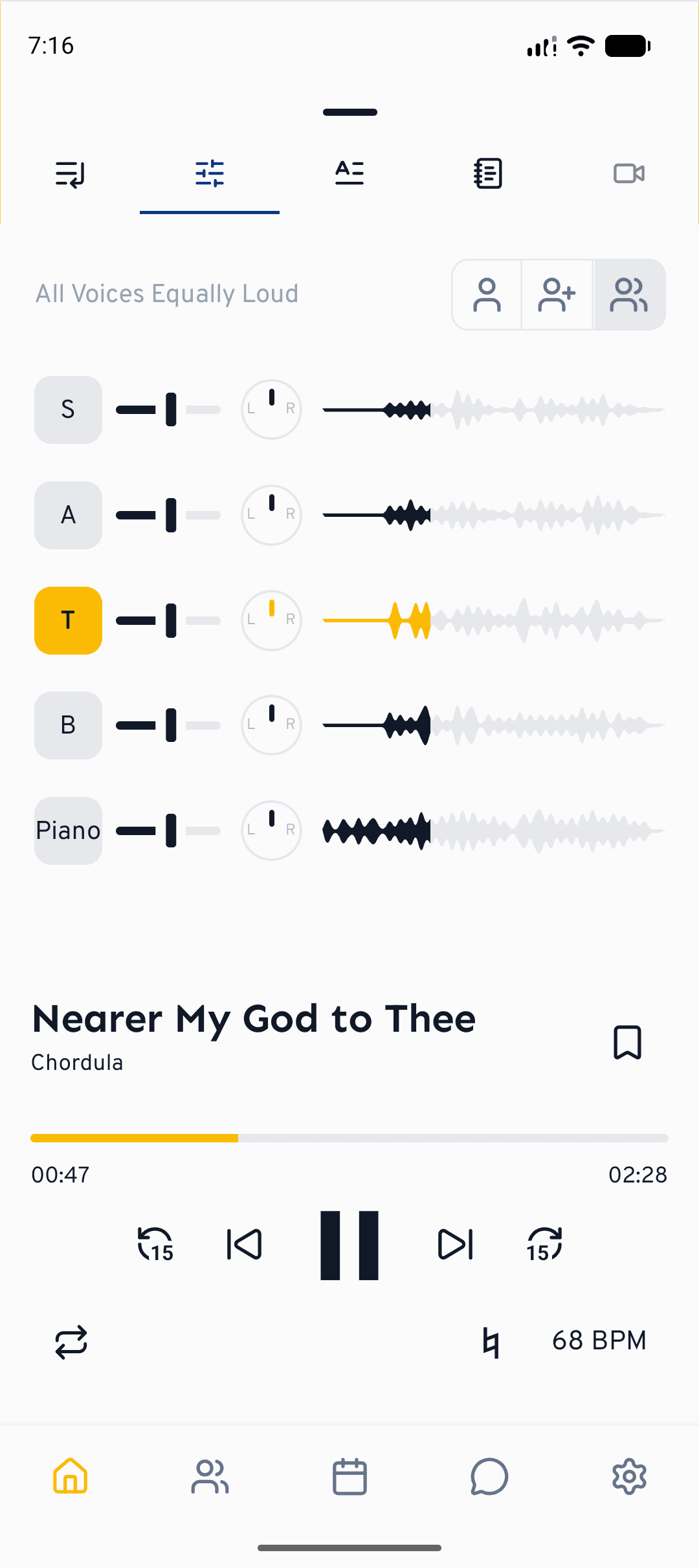
At the top of the Mixer are three quick presets: Own Voice (just your part), Own Voice Louder (your part to the front, the others quietly underneath) and All Voices Equally Loud. Tap one to get a sensible starting mix in a single touch.
Drag a voice's volume slider to make it quieter or louder. The waveform next to it grows and shrinks so you can see the change. Any time you tweak a slider, the preset label switches to "Custom".
Tap the round button at the start of a row to mute that voice; tap again to bring it back. To work on your part alone, mute everything else — or just choose the Own Voice preset. In the browser it's quicker still: the little S button at the end of a row solos that voice, and everything else stays silent until you click it again.
A great way to learn is Own Voice Louder: your part sits clearly on top while the rest of the choir stays audible underneath, so you stay in tune with the harmony around you.
Pan your part with stereo
Each voice also has a small pan knob marked L and R. Drag it left or right to move that voice across the stereo field. A favourite trick when learning is to pan your voice to one side and the rest of the choir to the other — with headphones in, your part lands in one ear and the accompaniment in the other, making it far easier to follow your line. Double‑tap or long‑press a knob to recentre it.
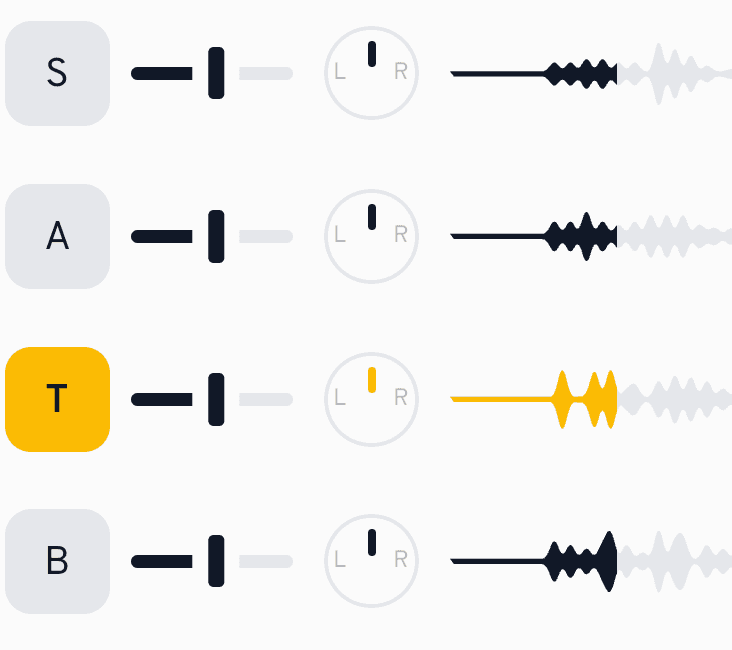
Stereo panning is a setting you can switch on or off. Open Settings›Playback and turn on Enable stereo panning of voices in mixer. Your mix is saved per song, so it's there again next time you open it.
What's next?
- Learn the basics of playing and practising songs.
- Sing along and get pitch feedback with SingAlong practice.
Still need help?
Can’t find what you’re looking for? Send us a message and our team will get back to you.
Contact support